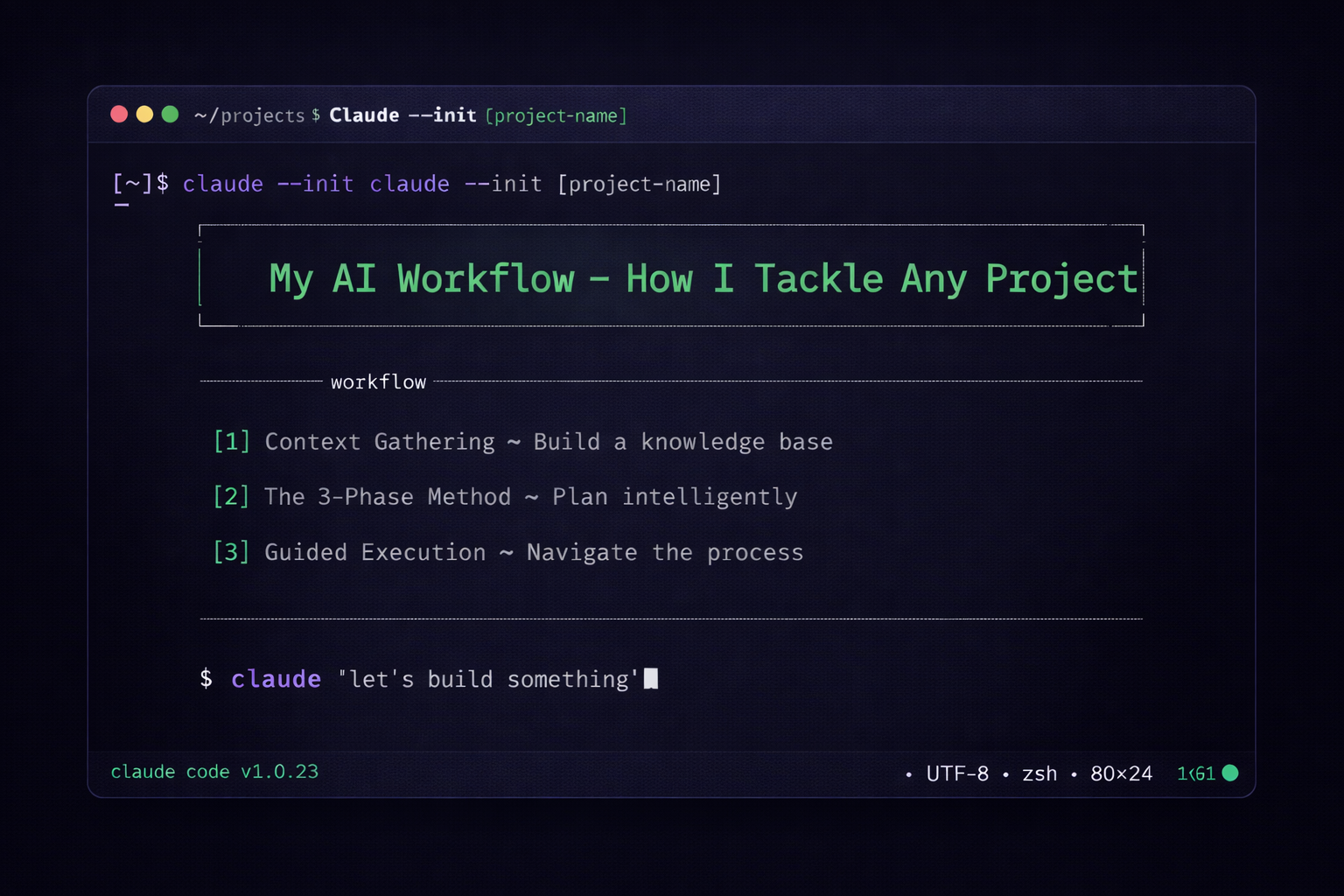
My AI Workflow - How I Tackle Any Project
But AI isn’t a search engine. The big leap forward with large language models isn’t that they can retrieve information faster — it’s that they can hold context. You can give an LLM your situation, your constraints, your goals, what you’ve already tried, and it will reason across all of it. That’s a fundamentally different capability from anything we’ve had before.
The problem is that most people don’t use it this way. They fire off a bare question with no context and get a bare answer with no depth. Of course the output is generic — you gave it nothing to work with.
Think about it like onboarding a new team member or an intern. You wouldn’t just say “figure out our marketing strategy” and walk away. You’d brief them: here’s what we do, here’s what we’ve tried, here’s where we’re stuck, here’s what good looks like. The better the brief, the better the output. And if they’re smart, they’d ask you clarifying questions before diving in.
AI works the same way. The two things that matter most are:
- Context — giving it enough information about your situation to reason usefully
- Clear expectations — telling it exactly what you need and how you want to work together
Get those two right, and AI goes from a search engine to a genuine thinking partner — someone you brief on a project, work through decisions with, and use to move from “I should figure this out” to “here’s my plan and I’m executing it” in a couple of hours. And once you’re comfortable working with one AI partner this way, the next leap is spinning up multiple agents across parallel workstreams — research, planning, and drafting all happening simultaneously. That’s where things get really powerful, but it starts with getting the fundamentals right.
This post covers those fundamentals. Here’s the workflow I use.
The Two Parts of My Workflow #
My approach has two parts:
- Context Gathering — Research the topic and build a knowledge base before I even start prompting
- The 3-Phase Method — A structured way to get AI to interview me, build a plan, and guide me through execution
The second part uses a structured prompting framework (credit to Dan Koe — link at the bottom). What I’ve added is the first part — the research and context layer that makes the prompting framework dramatically more effective.
Let me walk you through both.
Part 1: Building Context First #
Before I ask AI to help me with a project, I start by creating a project folder and filling it with context. This is the step most people skip, and it’s the one that makes the biggest difference.
Here’s what I actually do:
I create a folder for the project and start researching across multiple sources — articles, documentation, Reddit threads, X posts, expert blog posts. As I go, I save the key information as markdown files (.md) in the folder. AI works great with markdown, and it becomes a knowledge base I can hand to any AI tool later.
What I’m capturing:
- Key decisions I’ll need to make
- Common approaches and tradeoffs
- Mistakes to avoid
- Background concepts and terminology
Speeding up context gathering with AI:
One of the most powerful things I’ve been doing is using Claude Code with a YouTube transcription skill to process expert videos. Instead of spending hours watching instructional videos and tutorials, I’ll find 5-10 relevant videos from experts on the topic, and Claude Code downloads the transcripts, parses them, and generates summarised context files — all in minutes.
So a topic that would normally take me a full weekend of watching and note-taking gets compressed into a rich knowledge base in under an hour. That context then feeds directly into everything that follows.
You don’t need this exact setup. Even spending 20 minutes reading about your topic and pasting your notes into ChatGPT or Claude works. The key is giving the AI something to work with beyond your initial question. The more context you provide, the better the output.
Part 2: The 3-Phase Method #
Once I have context gathered, I use a structured prompting framework that transforms AI from a passive tool into an active thinking partner.
Here’s the prompt I use:
I want help with [PROJECT/TOPIC]. I’ve attached context about the topic. Please use the following three-phase approach:
Phase 1 - Context Gathering: Break down everything needed to best accomplish this task. Interview me to gather all relevant information, asking one question at a time. Wait for my answer before asking the next question.
Phase 2 - Action Plan: Once you have enough information, output a detailed plan based on my answers.
Phase 3 - Execution/Coaching: Guide me through implementation step by step.
Why this works:
Phase 1 is the magic. Instead of AI assuming what you need, it asks you questions. This does two things: it gives AI the specific context it needs to help you well, and it forces you to think through aspects of the project you might not have considered. It’s like having a smart colleague ask clarifying questions before jumping into a solution.
Phase 2 gives you an actual plan—not a generic how-to guide, but a plan based on your situation, your constraints, your goals.
Phase 3 keeps momentum going. Instead of getting a plan and then figuring out execution alone, you have a guide walking you through each step.
How I Used This Recently #
I’ve been interested in setting up OpenClaw (an AI automation tool) for my personal and work projects. It’s a technical topic with a lot of different approaches, and I wasn’t sure where to start.
Here’s what I did:
- Watched several YouTube videos on OpenClaw setups and use cases
- Read Reddit threads about common issues and best practices
- Saved transcripts and notes into a project folder
- Used Claude with my context and the 3-phase prompt
- Claude interviewed me about my specific goals, my technical setup, my risk tolerance
- Got a detailed, personalised plan for how to proceed
- Am now working through Phase 3, implementing step by step
The whole research-to-plan process took maybe two hours. Without this workflow, I’d probably still be in “I should look into that sometime” mode.
Other projects I’ve used this for:
- Setting up a personal “second brain” system with Obsidian and Claude Code (which i’m using to organise my thoughts)
- Building a dashboard to track my 5-year, annual, and quarterly goals
- Building out a personal goals agent (will write about this next!)
The method works for anything where you need to research, make decisions, and execute — from figuring out which school to send your kid to, to deciding whether to renovate or move, to setting up a new system at work.
My Full Setup #
For those who want to go deeper, here’s the complete toolchain I use day-to-day. If you’re not familiar with Claude Code (or terminal-based AI tools in general), NetworkChuck’s “You’ve Been Using AI the Hard Way” is a great introduction to what I mean by “running AI in your project folder.”
AI tools:
| Tool | What I Use It For |
|---|---|
| Claude Code | My primary AI tool. Runs in the terminal, can read/write files, and execute commands. This is where the 3-phase method lives. |
| Claude.ai | Quick conversations, brainstorming, one-off questions that don’t need a project folder |
| ChatGPT | Second opinion on plans, different perspective from Claude |
Knowledge capture:
| Tool | What I Use It For |
|---|---|
| Obsidian | My “second brain” — all notes, drafts, and project context live here as markdown files |
| Project folders | Each project gets its own folder with context files (.md) that I can hand to any AI tool |
| YouTube transcription (via Claude Code skill) | Automatically downloads and summarises expert videos into context files |
The flow end-to-end:
- New project idea → Create a project folder on my Mac
- Research → Save articles, Reddit threads, video transcripts as .md files in the folder
- Speed up research → Use Claude Code in the folder to batch-process YouTube videos or articles into summarised context
- Start working → Open Claude Code in the project folder — it can read all the context files automatically
- 3-Phase prompt → Claude interviews me, builds a plan, guides execution
- Capture outputs → Plans, decisions, and notes all stay in the project folder as markdown
- Iterate → As the project evolves, the folder grows — every future AI conversation benefits from the accumulated context
The key insight is that the project folder is the system. It’s not about any one tool — it’s about building a persistent knowledge base that any AI can use. If Claude Code disappeared tomorrow, I could paste those same files into ChatGPT or Gemini and get 90% of the same value.
Try It This Weekend #
- Pick a project you’ve been putting off
- Spend 20-30 minutes gathering context (YouTube videos, articles, Reddit threads, your own notes)
- Paste your notes into Claude or ChatGPT along with the 3-phase prompt above
- Let it interview you
- Get your personalised plan
- Start executing — if AI has your context, it can continue to support you every step of the way
No complex setup required. Just a different approach to how you use the tools you already have access to.
If you try it, I’d genuinely love to hear how it goes. Send me a message and let me know what project you tackled.
The 3-phase prompting method is adapted from Dan Koe’s video “How To Use AI Better Than 99% Of People”. Highly recommend watching it if you want to go deeper. Bonus points for trying out Claude Code, Codex or Gemini CLI in the terminal.